
How to use the markup calculator
- Cost: Your cost before adding profit.
- Markup (%): The percentage of cost to add.
- Select Calculate to see the result. Change any input and calculate again to compare.
Worked example
An 80 cost with 25% markup produces a 100 selling price.
Formula and assumptions
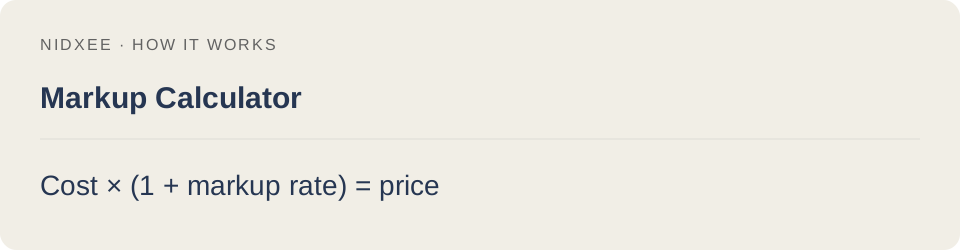
Cost × (1 + markup rate) = price.
Markup is based on cost; profit margin is based on revenue. They are not interchangeable.
Common questions
Why might my result differ from another estimate?
Markup is based on cost; profit margin is based on revenue. They are not interchangeable. Keep the same inputs and rounding when comparing tools.
Are my entries saved?
No. Calculations run on your device. Reloading or closing this page may clear your entries.