
How to use the date difference calculator
- Start date: The first date, excluded from the elapsed-day count.
- End date: The last date. It must be on or after the start.
- Select Calculate to see the result. Change any input and calculate again to compare.
Worked example
January 1 to January 31 is 30 elapsed days.
Formula and assumptions
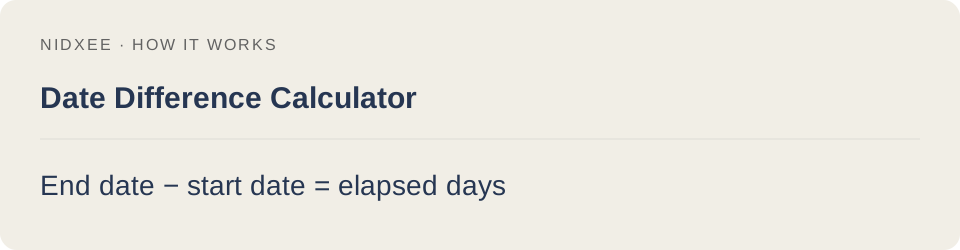
End date − start date = elapsed days.
Uses calendar dates in UTC to avoid daylight-saving changes; does not count business days or include both endpoints.
Common questions
Why might my result differ from another estimate?
Uses calendar dates in UTC to avoid daylight-saving changes; does not count business days or include both endpoints. Keep the same inputs and rounding when comparing tools.
Are my entries saved?
No. Calculations run on your device. Reloading or closing this page may clear your entries.